Account security matters whenever money and personal details are involved. For Melbet players in Bangladesh, Google Authenticator can add a second layer of protection to an account. It generates temporary codes on a trusted device, so signing in may require more than a password. This guide explains how the code works, how to set it up safely, and what to do if access to the authenticator is lost.
Melbet’s available features, payment methods, and account requirements can vary by location and over time. Check the current terms and security instructions on the official service before making changes. Use only official Melbet pages or applications, and never share a one-time code with another person—even if they claim to be support staff.
What a Google Authenticator code does
Google Authenticator is an app that creates time-based one-time passwords, often called TOTP codes. After linking it to an account, the app displays a short numeric code that changes periodically. During login or another protected action, the service may ask for the current code in addition to the account password.
This system can make an account harder to access if someone learns the password alone. It does not make an account invulnerable: a person who controls both the password and the authenticator device, or who tricks the owner into revealing a current code, may still gain access. Good security therefore combines two-factor authentication with careful device and password habits.
Setting up two-factor authentication carefully
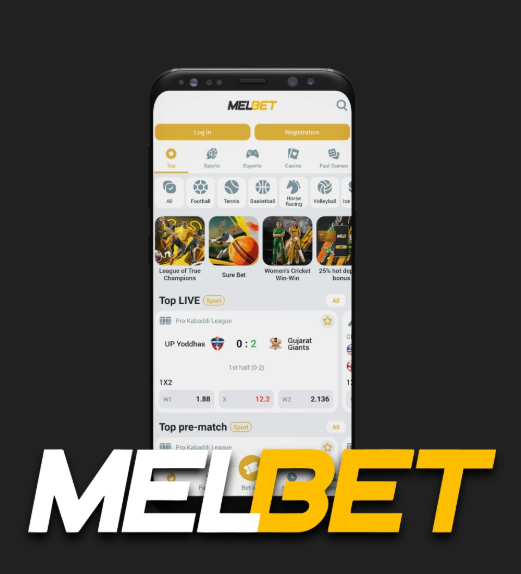
- Start from a trusted source. Open Melbet by typing its known official address or using a verified bookmark. Avoid links in unsolicited messages, search advertisements, and social media replies.
- Find the security settings. Sign in and look for account, profile, or security options. Menu names can change, so follow the instructions currently shown by Melbet rather than relying on an old screenshot.
- Install the authenticator from an official store. If you choose Google Authenticator, download it through the official Google Play Store. Do not install an APK sent by a stranger or a website you cannot verify.
- Link the account using the displayed method. Melbet may provide a QR code or a setup key. Scan the code within the authenticator, or enter the key manually if that option is offered. Make sure you are linking the intended account.
- Enter a current code to confirm. If prompted, type the code currently displayed in the authenticator. A code that has just changed may expire while you are entering it, so request or use the next one if necessary.
- Save recovery information securely. If the service supplies backup codes, store them offline in a protected place. Do not keep them in an unprotected note, send them through chat, or save them beside your password.
Some account settings may require identity or account verification before security changes are allowed. Complete those steps only through the official service and read what information is being requested. Never send passwords, authenticator codes, or recovery codes to someone who contacts you unexpectedly.
Practical security tips for Bangladesh users
Protect the phone and authenticator app
Use a screen lock with a strong PIN, password, or supported biometric protection. Install operating-system and app updates promptly, and avoid rooting or jailbreaking a phone used for financial accounts unless you understand the risks. A rooted or compromised device can weaken protections that would otherwise help keep codes private.
If you use an Android device, get the mobile app from Melbet for Android only through a source linked or identified by Melbet as official. Check the publisher and requested permissions before installation. Be wary of copied apps, unofficial download pages, and files shared through messaging groups. An app that imitates a betting service could collect passwords or intercept sensitive activity.
Keep passwords and codes private
- Use a unique Melbet password that you do not reuse on email, social media, or other betting sites.
- Consider a reputable password manager to create and store strong passwords.
- Never share a current authenticator code, even with a caller claiming to be an employee.
- Do not approve a login or security change you did not initiate.
- Log out on shared devices, and never save credentials on a public or borrowed computer.
Phishing messages may create urgency by claiming that a withdrawal is blocked, an account will be closed, or a bonus will expire. A legitimate security process should not require you to disclose your one-time code to a person. If a message asks for it, stop and independently open the official site or app instead of following the message’s link.
Use networks and devices thoughtfully
Avoid logging in over open public Wi-Fi when possible. If you must use an unfamiliar network, do not ignore browser certificate warnings, and avoid accessing your account from a device you do not control. A VPN does not guarantee safety or prove that a site is genuine; it should not replace checking the address and securing the device.
Keep your phone number and email address on the account current if Melbet allows you to manage them. Secure the email account separately with its own strong password and two-factor authentication. Email access can be important for account recovery, so protecting it is part of protecting the betting account too.
Common problems and safe recovery
The code is rejected
Check that you selected the correct Melbet entry in the authenticator and entered the newest code before it expired. If your phone’s clock is inaccurate, enable automatic date and time settings and restart the authenticator. Avoid repeatedly guessing codes, as too many attempts may trigger a temporary security restriction.
The phone is lost, damaged, or replaced
Use a recovery method provided by Melbet, such as an official account-recovery process or a saved backup code, if available. Do not try to bypass security through unofficial services. Contact support by navigating to it from the official website or application, and be prepared to complete the verification steps the service requires. Support should not ask you to reveal your password or a live authenticator code.
If the old phone may have been stolen, secure the device through its operating-system tools, change your account password from a trusted device, and review account activity where available. Also protect the email address and phone number associated with the account. If you suspect unauthorized access, tell official support promptly and follow its instructions before attempting further changes.
Changing phones before you lose access
Plan a move while the old device still works. Review the authenticator app’s official transfer or backup options, then follow the current instructions for moving accounts. If Melbet requires a new link, disable or replace the old authenticator only through the account’s verified security settings. Confirm that the new device generates accepted codes before wiping or giving away the old one.
Questions and answers
Is a Google Authenticator code the same as an SMS code?
No. An authenticator app generates codes on the device, while an SMS code is delivered through text messaging. The exact methods Melbet offers may vary. An app can be useful when text delivery is delayed, but losing the device can create a recovery challenge, which is why backup arrangements matter.
Can I share a code with Melbet support?
No. Treat one-time codes and backup codes as private credentials. If someone asks you to read out a code, send a screenshot, or enter it on a page reached through their link, stop. Open the official service independently and contact support from there.
What if I never enabled two-factor authentication?
Sign in through the official channel and check the current security settings. If the feature is available and you want to use it, follow the setup instructions carefully and save any recovery information. If you cannot find the option, consult official support rather than installing a third-party tool or following an unofficial tutorial that asks for account secrets.
Does two-factor authentication guarantee account safety?
No security measure offers a guarantee. Two-factor authentication can reduce the risk from a stolen password, but it cannot prevent every phishing attempt, device compromise, or account-recovery fraud. Strong unique passwords, secure devices, cautious browsing, and prompt attention to unfamiliar activity remain important.
A simple security routine
Before each session, check that you are using the genuine Melbet service and a device you trust. Keep your operating system and authenticator updated, protect your email account, and never disclose login or recovery codes. After using a shared device, sign out and close the browser. Periodically review account details and available activity records, and report anything unfamiliar through official support.
For players in Bangladesh, the safest approach is to treat the authenticator as one part of a broader security routine. Set it up only through verified account settings, prepare for phone replacement in advance, and use official recovery channels if a problem occurs. These precautions help protect access without relying on risky shortcuts or promises from unofficial sources.
Melbet Google Authenticator Code: Security Tips for Players in Bangladeshさんに応援メッセージを送る